Case Study

External Client Apps

Role Senior Product Designer
Team 1 PM, 1 CX, 1 EM, 3 engineers
Focus Developer experience
Timeline 2023 – 2024

A cleaner front door for connecting external apps.

External Client Apps are V2 of Connected Apps: the framework that lets an outside application integrate with a Salesforce org using APIs and standard protocols like SAML, OAuth, and OpenID Connect. I designed a single, connected experience that gives admins and developers one place to create these apps, deployed locally by default.
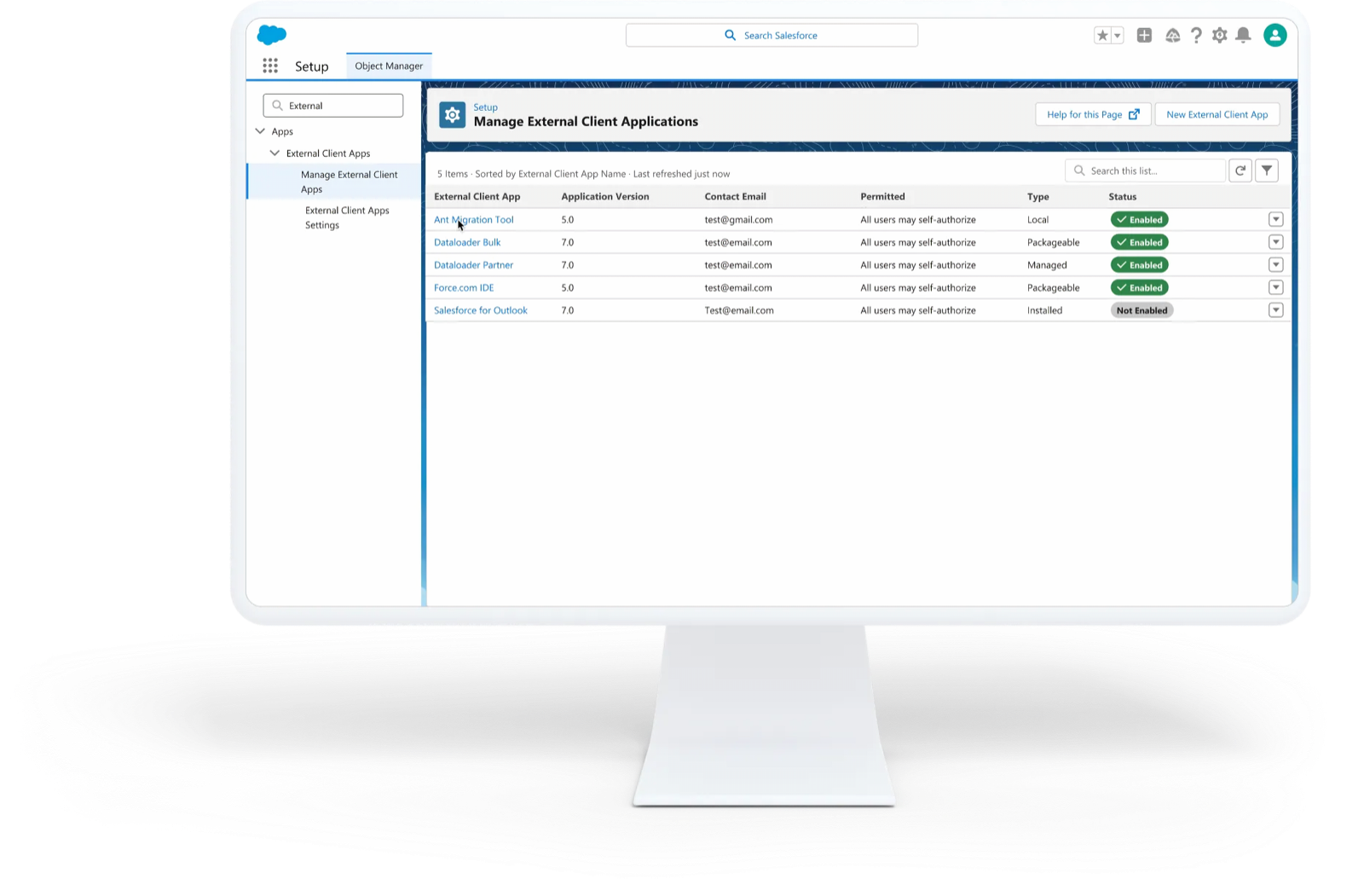
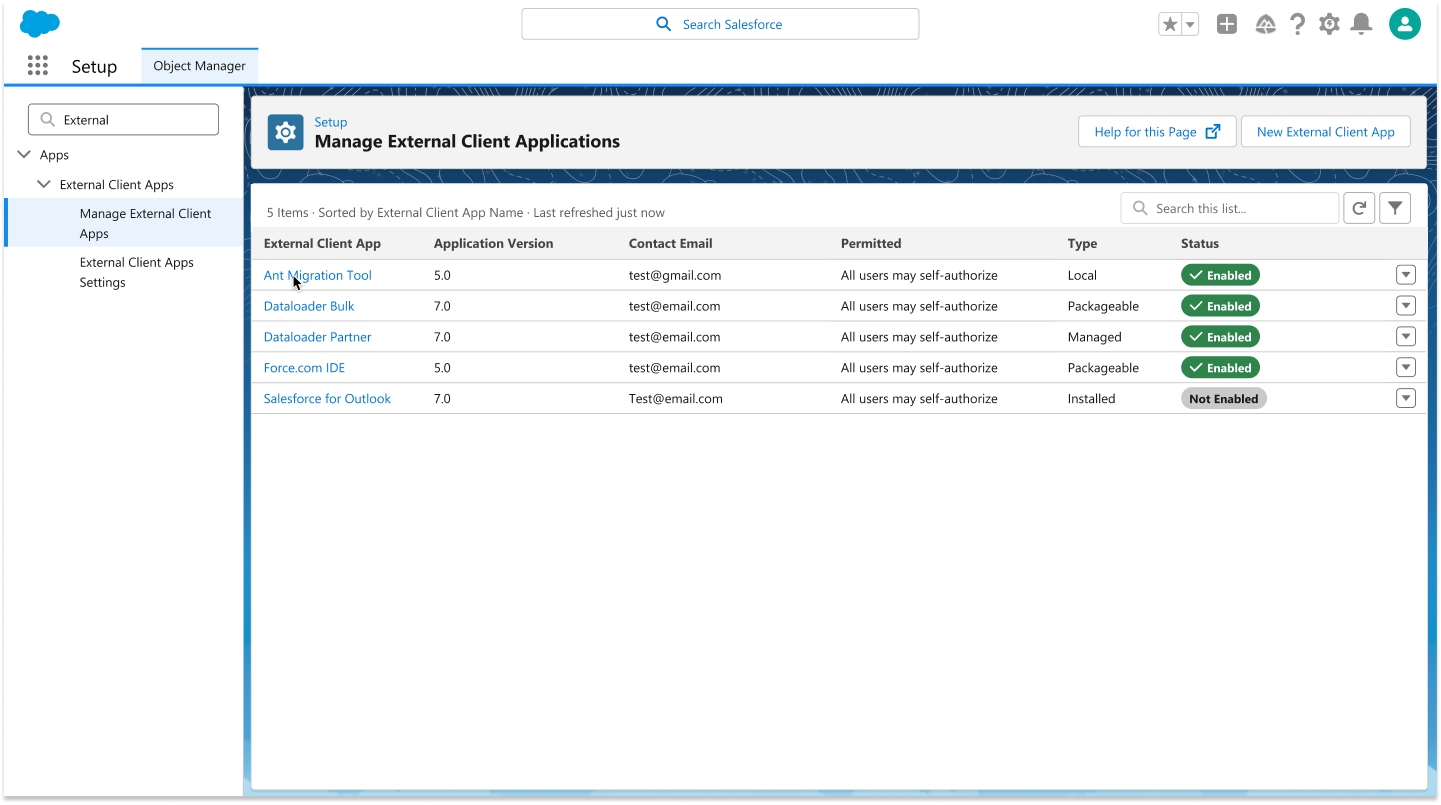
The Manage External Client Applications screen in Salesforce Setup
Manage External Client Applications: one clear home for creating and managing app integrations.
In plain terms

An External Client App is an application that can be developed on (or installed into) a Salesforce org. It represents an inbound connection to an external service. A few examples:

A mobile appA mobile app that connects to Salesforce.
A web experience off-platformA website that consumes Salesforce data but lives outside it, built on something like Heroku and connected through the external-app framework via OAuth.
API accessThe way an app gets an access token out of Salesforce to talk to an API.
An OAuth integrationAny app that integrates into Salesforce using OAuth.

Part of my job was making a deeply technical concept legible. Here, in plain terms.
One task. Two disconnected worlds.

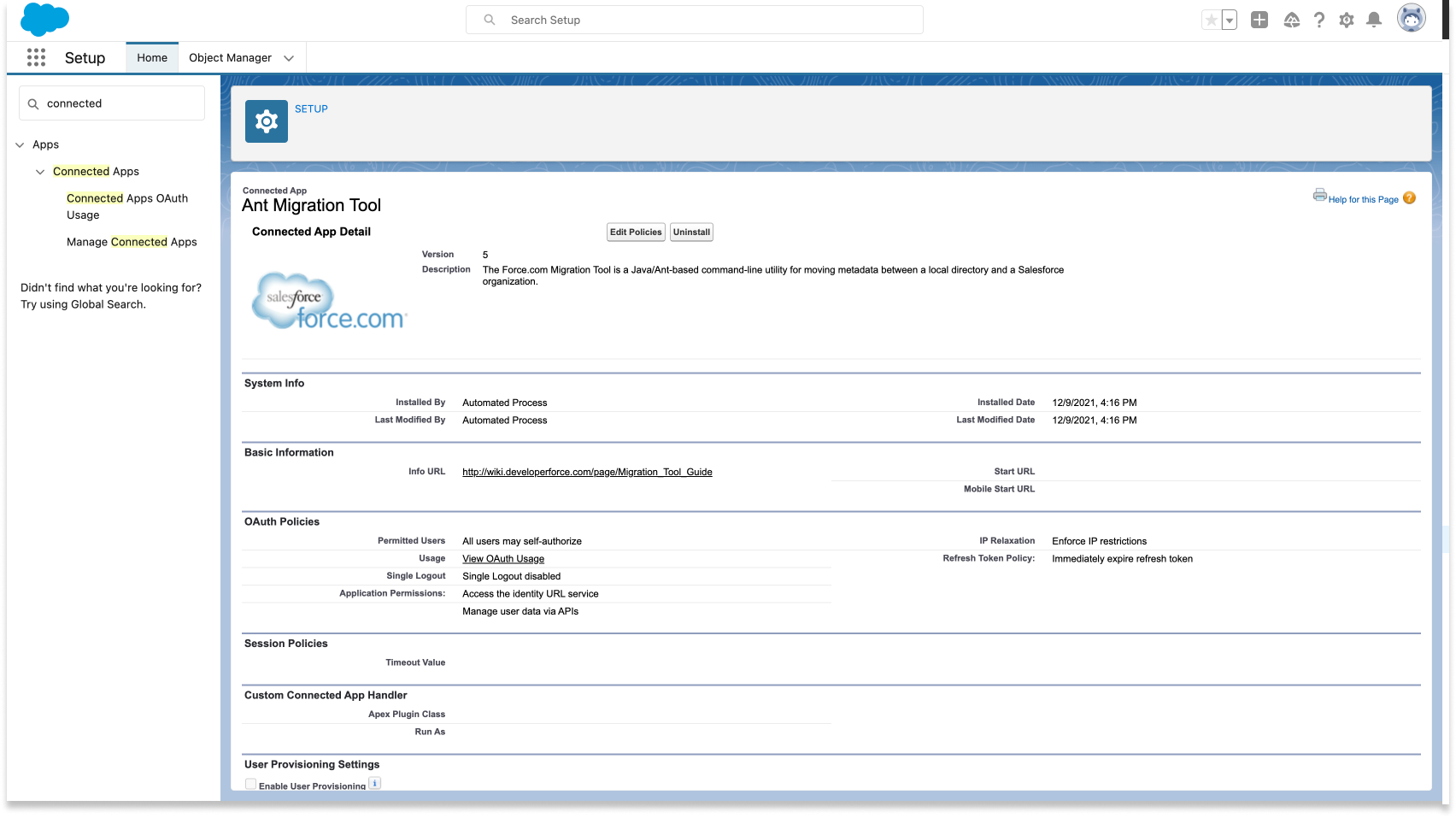
Managing a Connected App required developers to navigate two separate areas of Setup with no path between them. So I mapped the existing journey end to end, screen by screen. The fragmentation isn't a claim. It's something you can see.

Enter Setup
Setup · Quick Find: “Connected Apps”
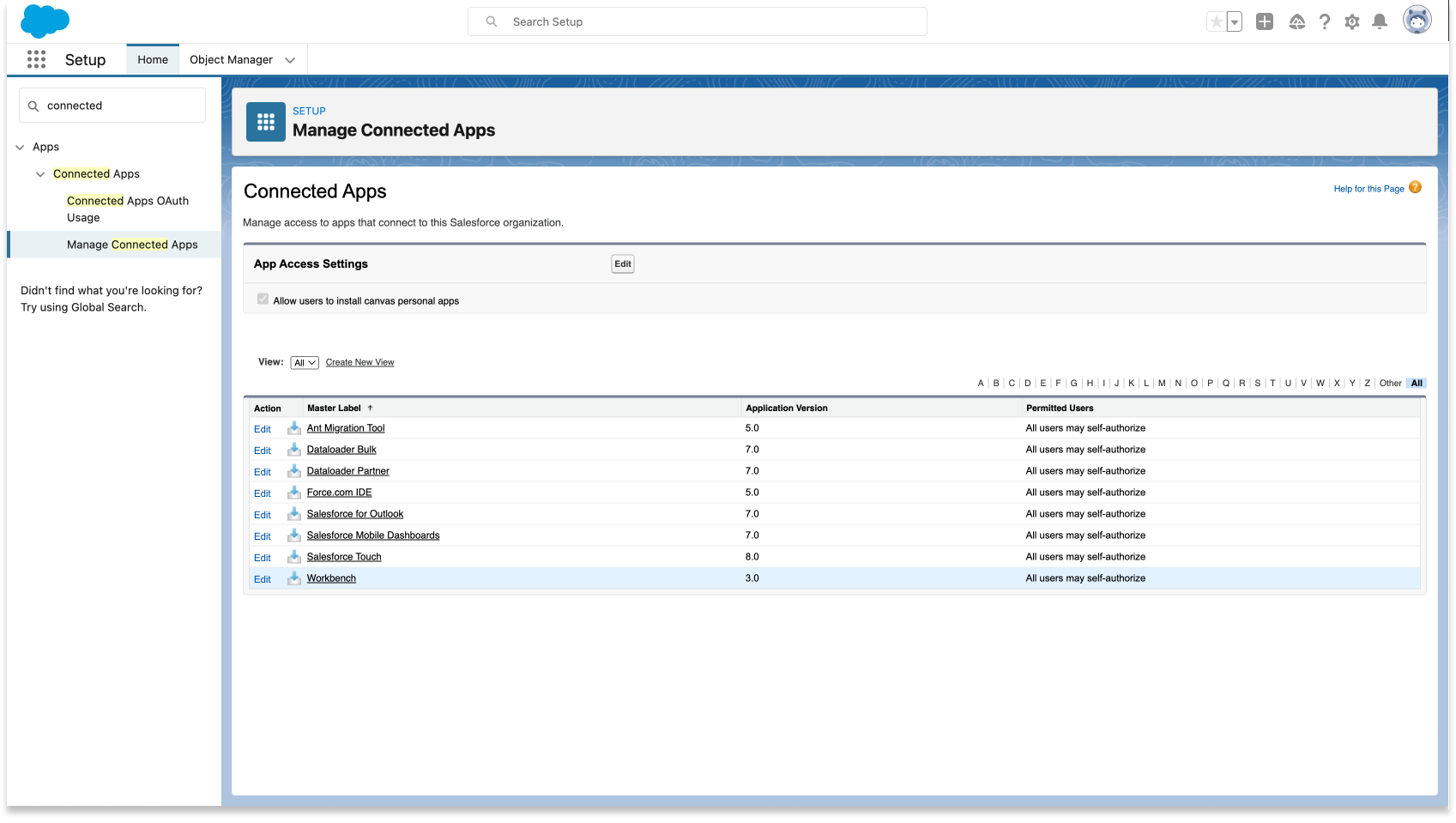
Salesforce Setup, Manage Connected Apps reached through Quick Find
The fork

Same goal. Two destinations.

Manage Connected Apps Admin mental model
Manage Connected Apps
The Manage Connected Apps list of installed apps
Connected App Detail
A connected app detail page on the manage side
Editing here only reaches the manage side. No route to the dev side.
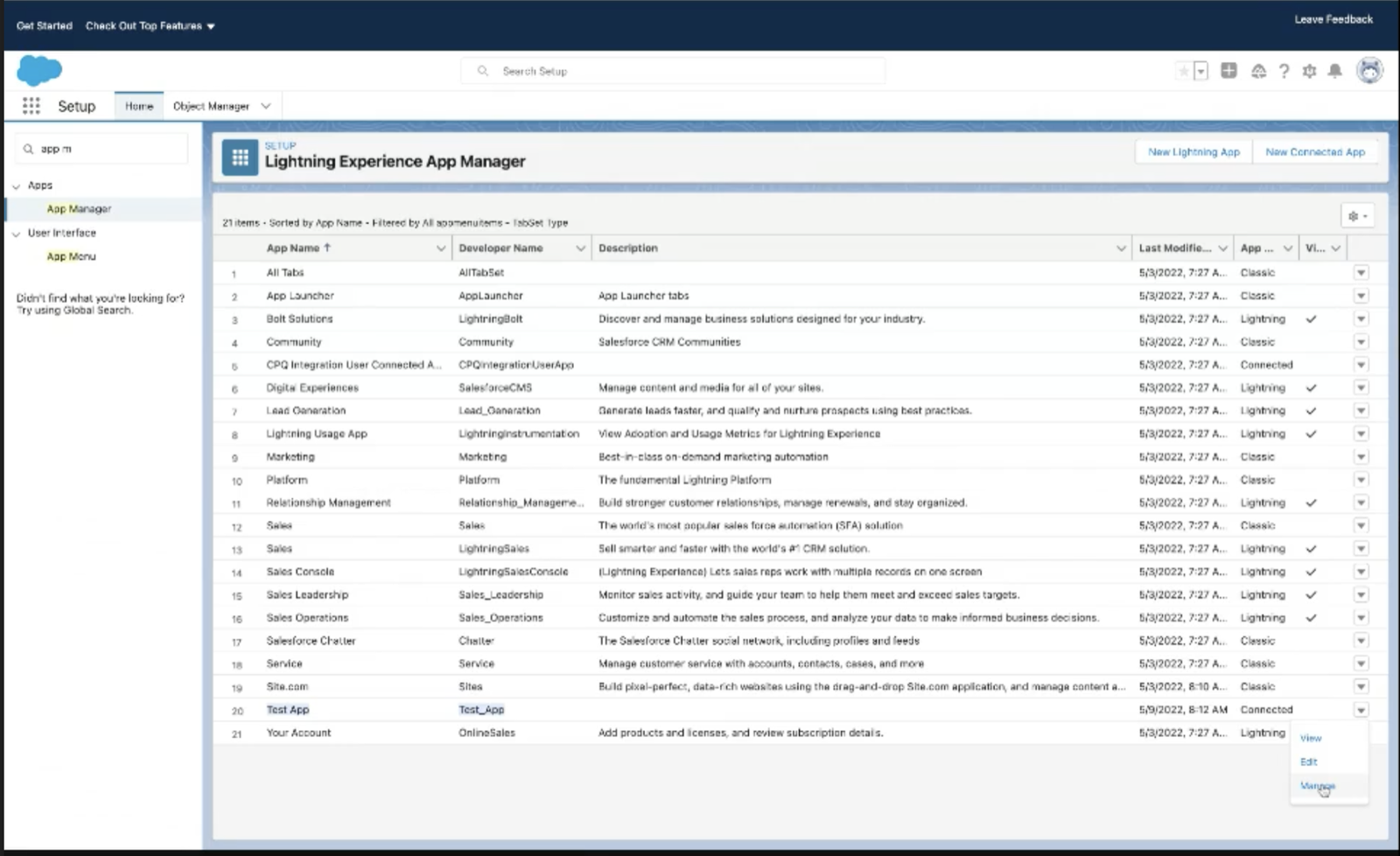
App Manager Developer mental model
Lightning Experience App Manager
The Lightning Experience App Manager list of apps
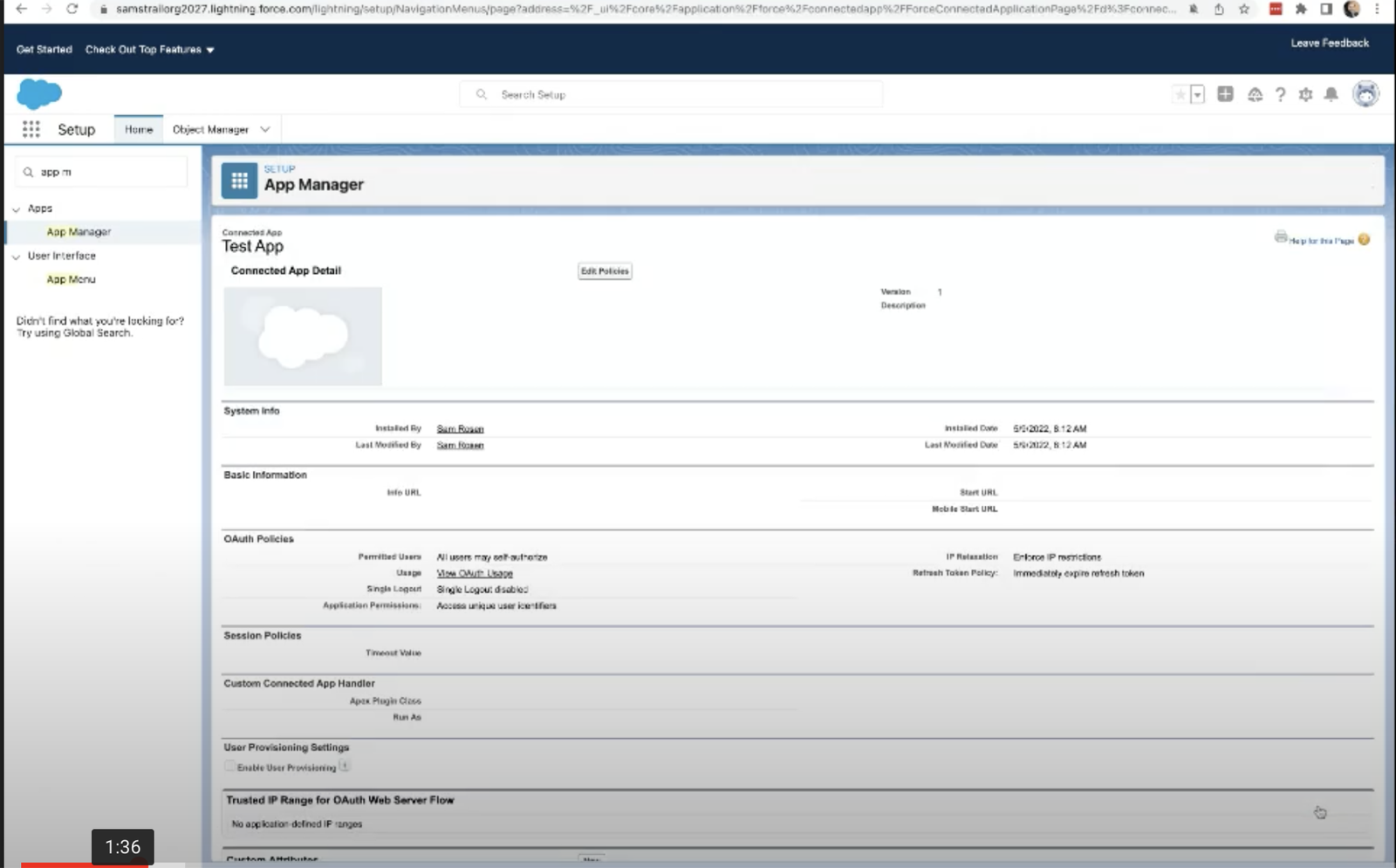
App Manager · Connected App
A connected app reached from App Manager
Developer config · OAuth settings
The developer-side OAuth configuration screen
× No route between them ×
  • Same task.
  • Different locations.
  • Different names.
  • Different workflows.
Restart journey

To reach the developer side, users abandon the first workflow and start over in a completely different area of Setup.

Setup · Quick Find: “App Manager”
Searching Setup again, this time for App Manager
App Manager · New Connected App
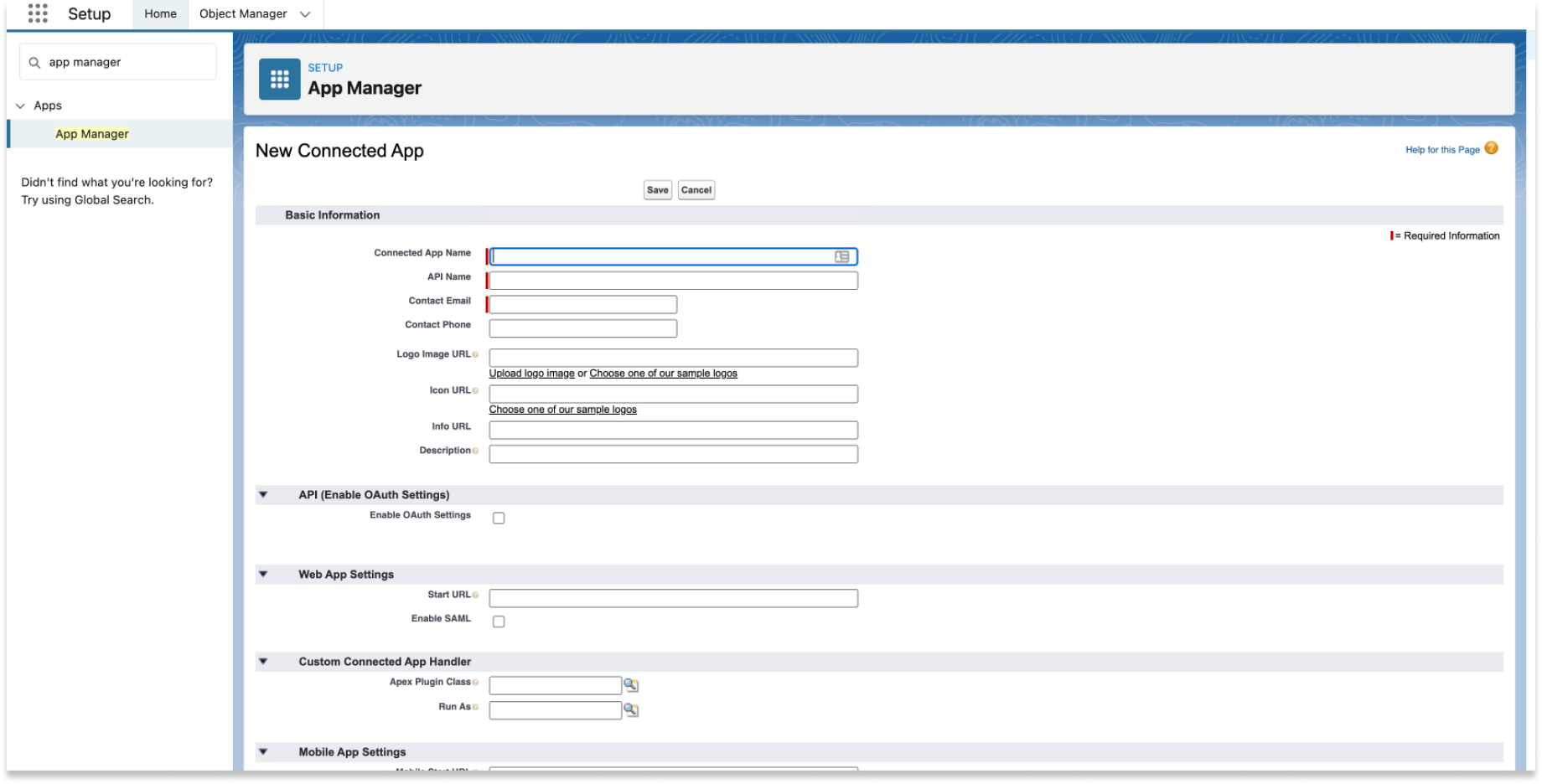
Finally creating a connected app from App Manager

Finally reaches the destination.

Naming conflict
App Manager
The same connected app, titled App Manager
Titled “App Manager”
≠
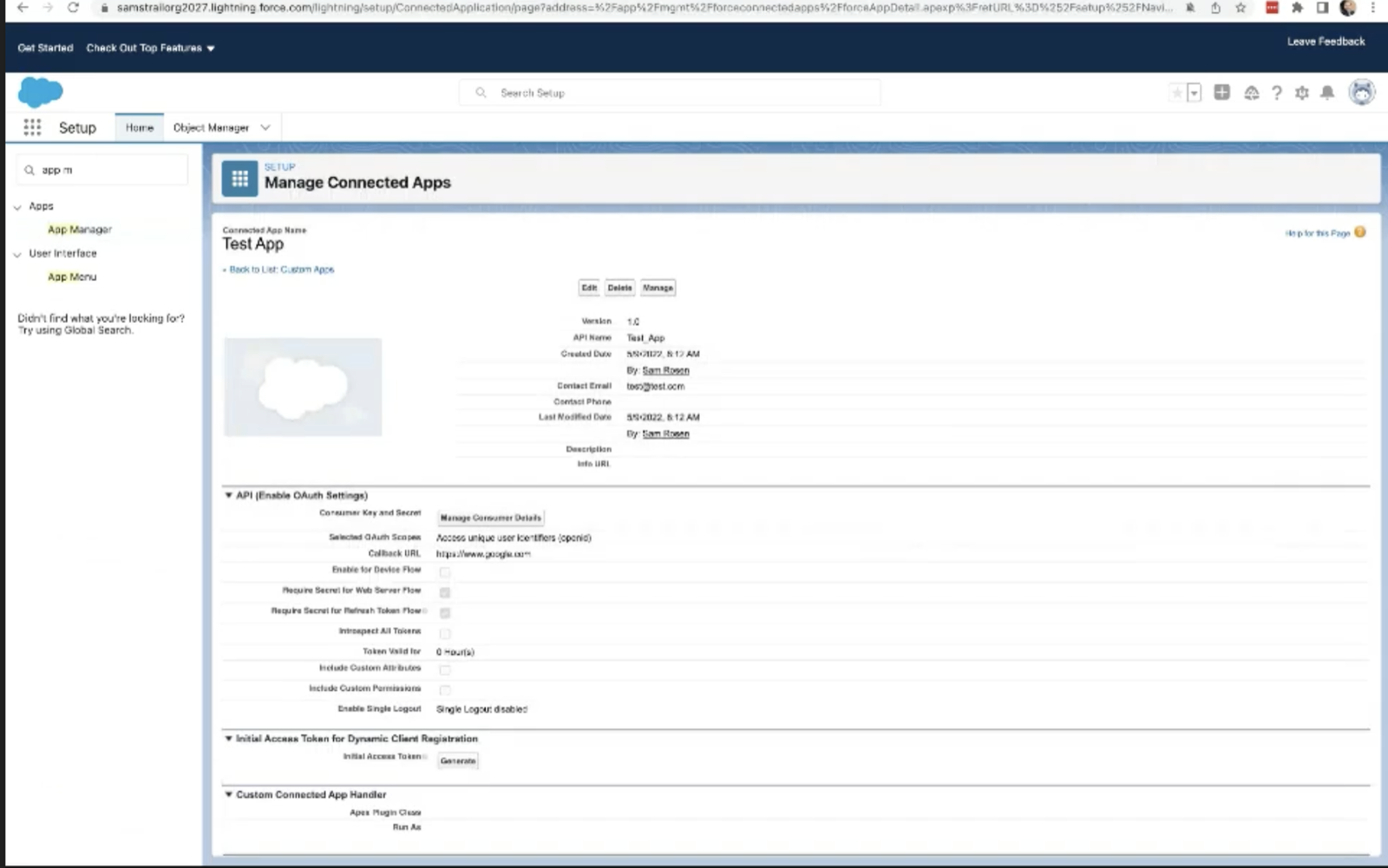
Manage Connected Apps
The same connected app, titled Manage Connected Apps
Titled “Manage Connected Apps”

The same surface, the same app (Test App), shown under two different page titles. You can’t tell where you are.

Insight

One task, many destinations.

Developers weren’t struggling with Connected Apps. They were struggling to understand where the product lived.

One connected flow to create, manage, and package.

A new experience that's clear and quick for developers, admins, and customers to install, create, manage, view, or even package as an app.

One connected lifecycle, instead of a tangle of disconnected screens. The real screens for each step are below.

Learn the domain, then build on the system.

1

Discovery

Went deep on a dense, technical domain: trainings and documentation on Connected Apps, hands-on time in a sandbox org, and user-flow mapping to surface the gaps and pain points, capped with a design brief built alongside the PM.

2

Research & Iteration

Ran a Setup audit to find common patterns and reusable components, built a new help component, and reused existing ones (table badges, the Custom Attributes flow). Pressure-tested designs through Slack feedback channels, Design Crit, and Demo Days.

3

Accessibility

As an ambassador for our design system, I pushed to build from the component library and only created custom components when truly necessary, taking those to Accessibility office hours for review.

4

Hand-off

Created design decks for release planning and handed off in Figma with inspect mode, holding weekly UX meetings to negotiate technical feasibility and looping CX in for labels and descriptions.

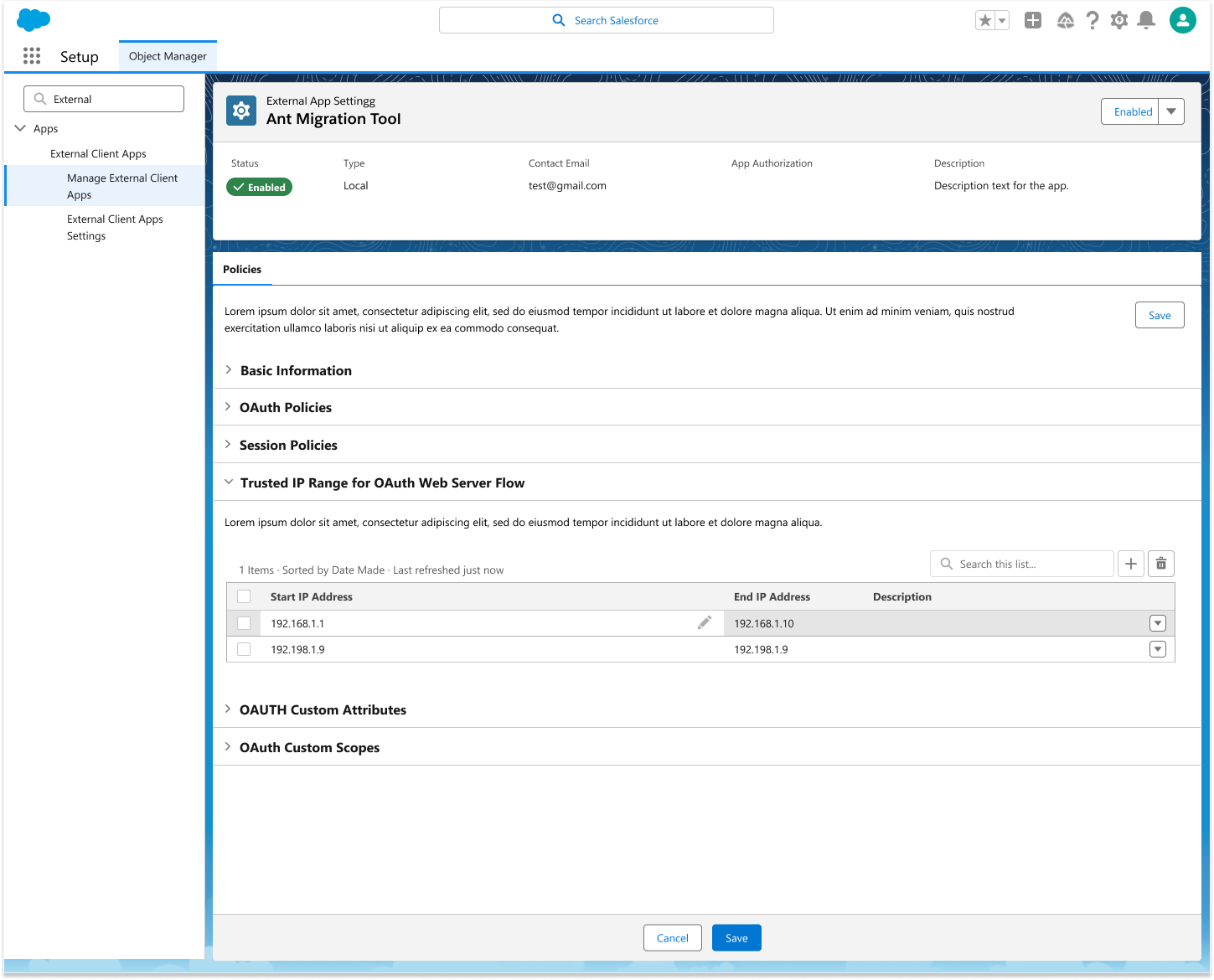
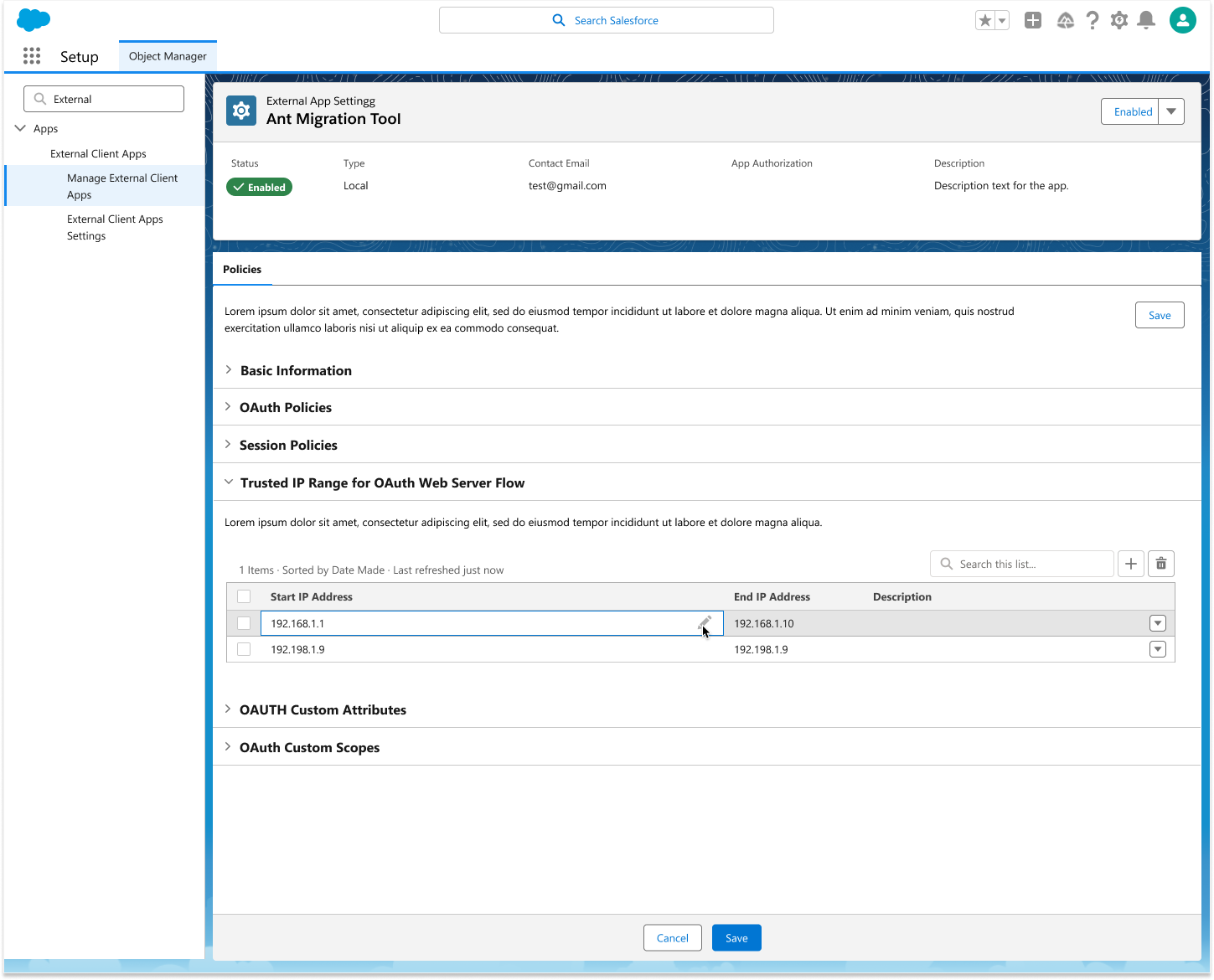
One place to create, manage, and configure.

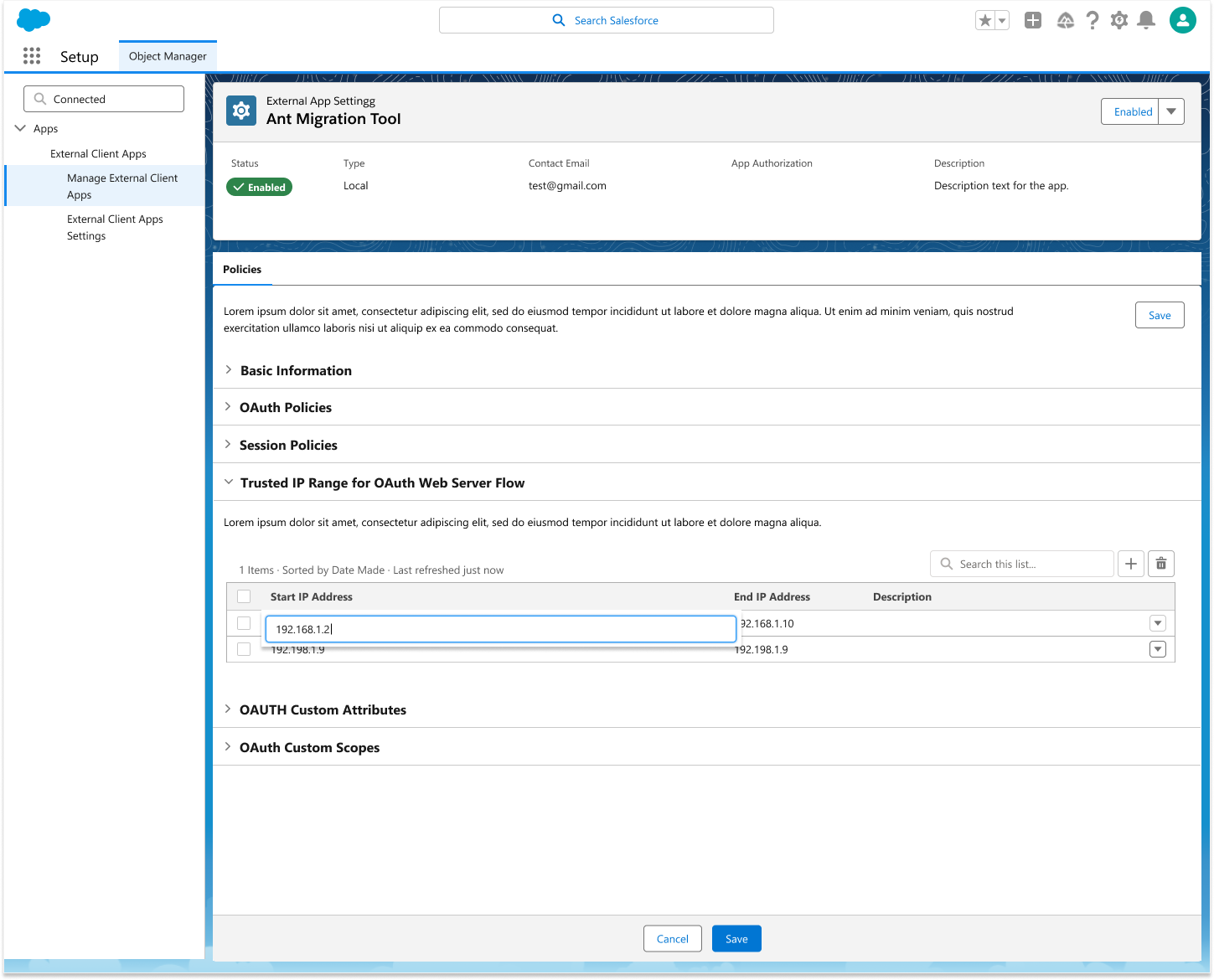
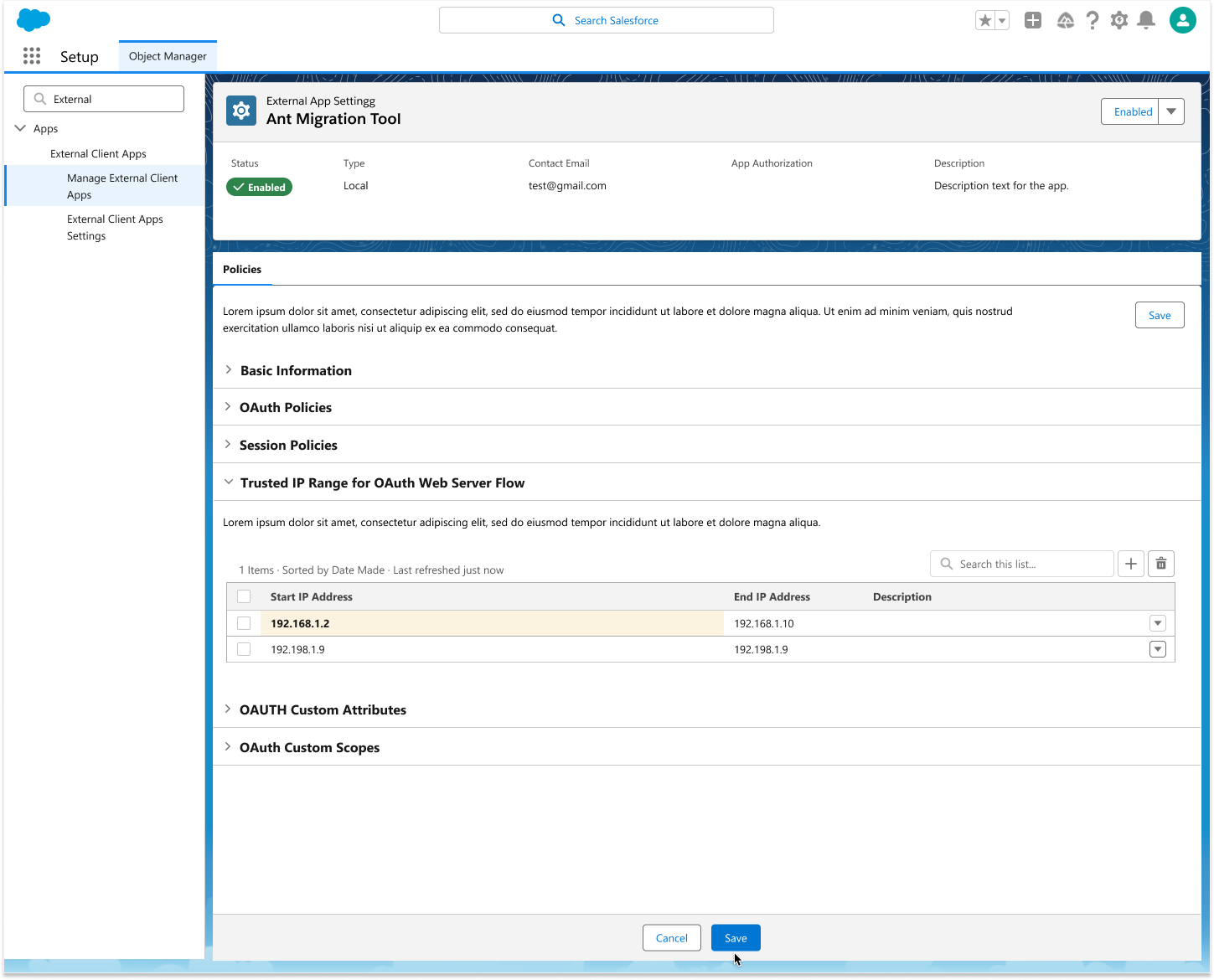
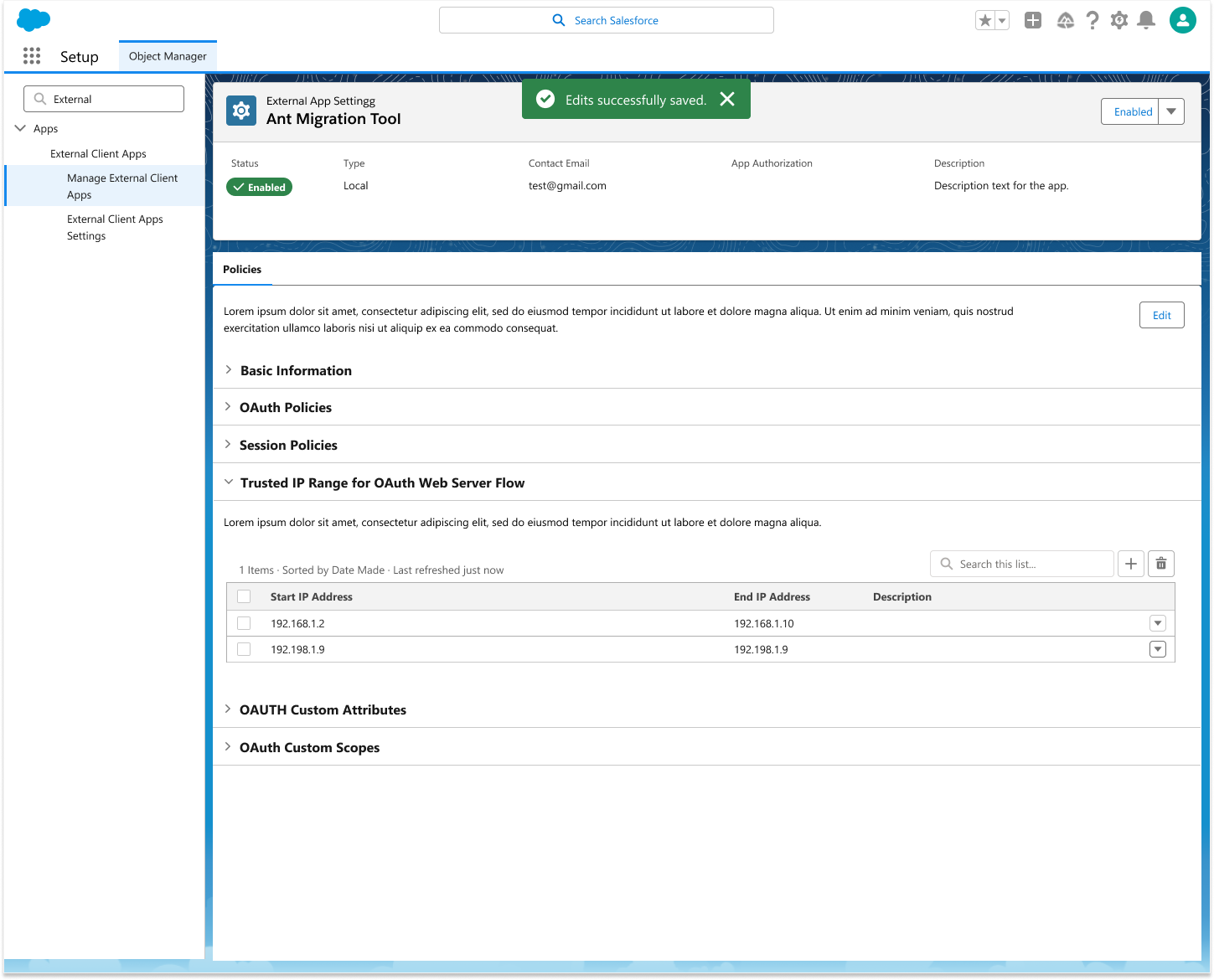
The MVP brought the whole lifecycle into one coherent surface, including the flow for editing a Trusted IP Range, where developers tune the OAuth policies that govern how an app connects.

The path every new integration now takes.

External Client Apps shipped as the platform-wide replacement for Connected Apps. It's now the required framework for every new Salesforce integration, so the create, manage, and migrate experience I designed is the path every developer and admin building on the platform goes through.

Required
Framework for every new Salesforce integration
Platform-wide
Replacement for Connected Apps
Next Project
Automation Reliability →
Giving admins eyes on the backend processes they own but can't see.